
Wheel alignment - front (STEERING)
- Make
- Land Rover
- Model
- Discovery II
- Section
- ADJUSTMENTS › Wheel alignment - front
STEERING
ADJUSTMENTS
57-19
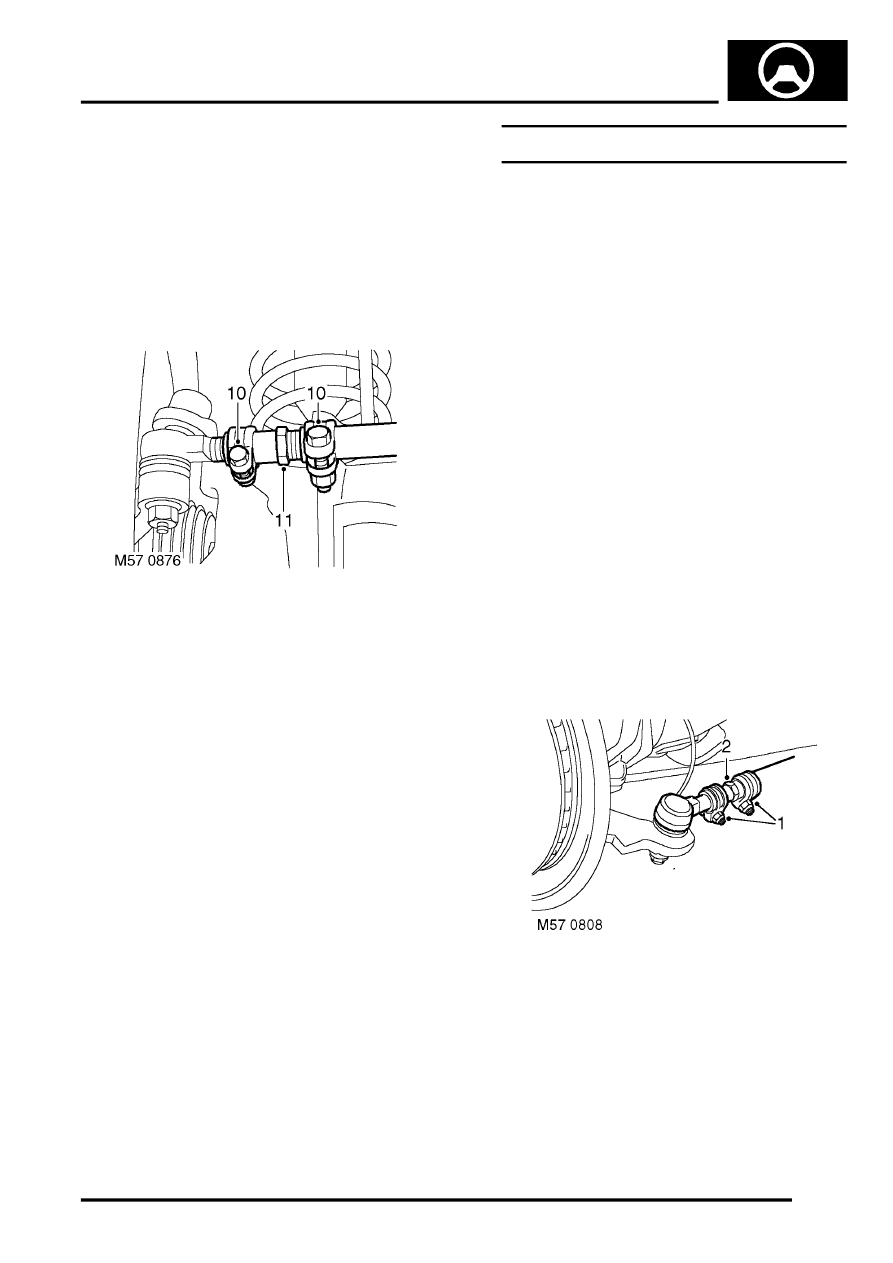
5. Adjust drag link so that taper joint is centralised
in drop arm, then tighten drag link clamp bolts:
Tighten M8 bolts to 22 Nm (16 lbf.ft) and M10
bolts to 33 Nm (24 lbf.ft).
6. Connect drag link to drop arm and tighten nut to
80 Nm (59 lbf.ft).
7. Remove steering box centralising bolt.
8. Remove stand(s) and lower vehicle.
9. Road test the vehicle and check that the
steering wheel is centralised. If steering wheel
is not centralised, proceed as follows.
10. Slacken drag link adjuster clamp bolts.
11. Without disconnecting drag link from drop arm,
adjust the length of the drag link to bring the
steering wheel to the central position.
CAUTION: Repositioning the steering wheel
on its splines cannot correct small (less
than 5
°
) errors in steering wheel alignment.
Always rectify small errors in alignment by
adjusting the drag link as detailed above,
ensuring that steering box centralisation is
maintained.
12. Tighten drag link clamp bolts: Tighten M8 bolts
to 22 Nm (16 lbf.ft) and M10 bolts to 33 Nm (24
lbf.ft)
Wheel alignment - front
$% 57.65.01
The following is the only wheel alignment equipment
which has been approved.
l
Beissbarth ML 4600 wheel alignment computer
(6 sensor).
l
Beissbarth ML 4600-8 wheel alignment
computer (8 sensor).
l
Beissbarth ML 4000 wheel alignment computer
(8 sensor wireless).
l
Hunter S411-14.
Check
1. Ensure tyre pressures are correct and vehicle
is at kerbside weight.
2. Roll vehicle backwards and forwards to relieve
stresses in steering and suspension.
3. Ensure road wheels are positioned straight
ahead.
4. Ensure that wheel alignment equipment is
properly calibrated.
5. Following the equipment manufacturer's
instructions, measure the front wheel
alignment. Compare with the figures given in
General Data.
Adjust
1. Loosen track rod and adjuster clamp bolts.
2. Rotate adjuster to obtain correct alignment.
3. Tighten track rod and adjuster clamp bolts:
Tighten M8 bolts to 22 Nm (16 lbf.ft) and M10
bolts to 33 Nm (24 lbf.ft).
4. Recheck front wheel alignment.
Parts & tools for this job Staging For Land Rover Discovery
- TOOLTie rod end toolSearch: tie rod end puller
- TOOLBall joint separatorSearch: ball joint separator
- FLUIDPower steering fluidSearch: Land Rover power steering fluid
Links open Amazon search results in a new tab. As an Amazon Associate I earn from qualifying purchases.