
Brake pads, discs and calipers (MAINTENANCE)
- Make
- Land Rover
- Model
- Discovery II
- Section
- PROCEDURES › Brake pads, discs and calipers
MAINTENANCE
10-6
PROCEDURES
Handbrake
Check
1. With the vehicle stationary, on a level surface,
apply and release handbrake and check for
correct operation.
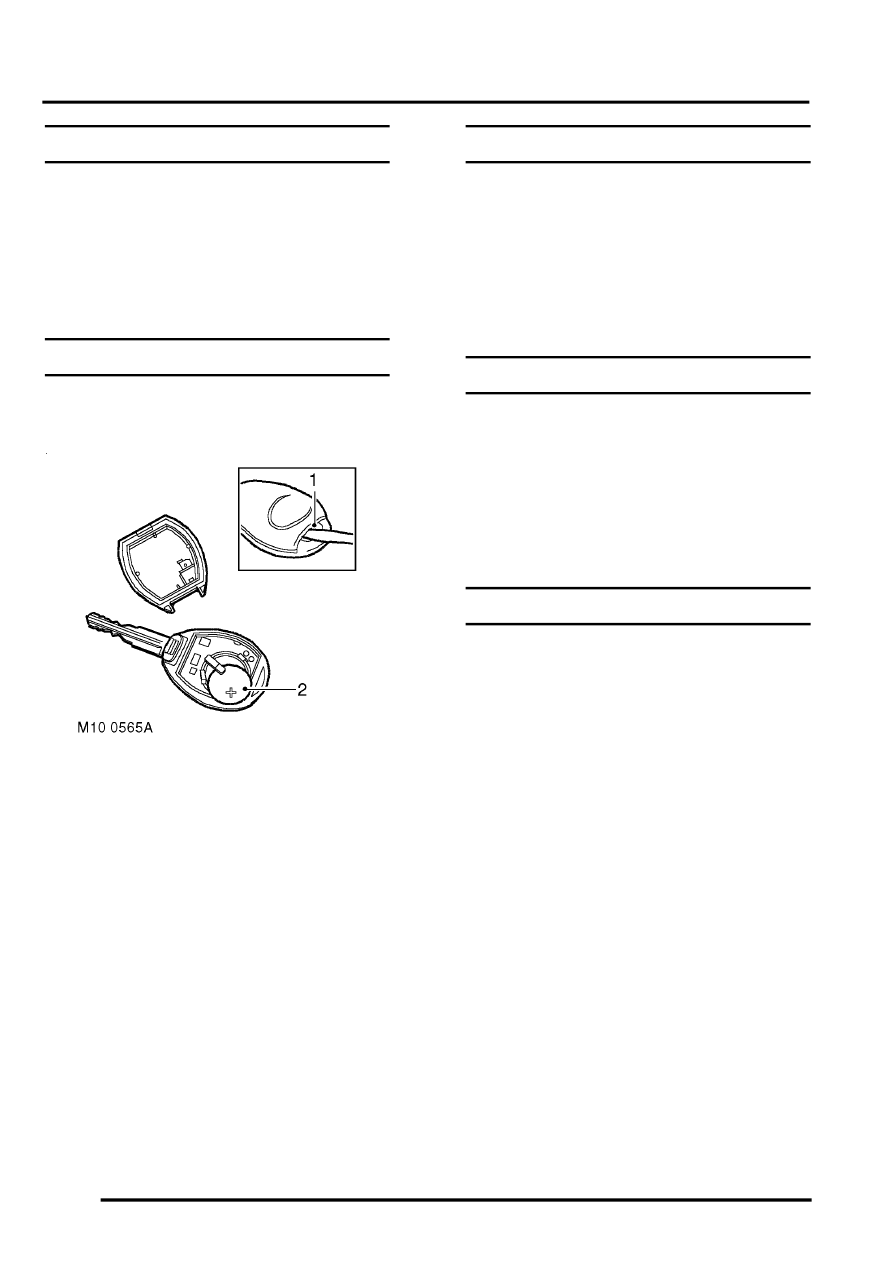
Alarm handset battery
Replace
1. Insert the blade of a small, flat bladed
screwdriver into the slot at the rear of the
handset and prise the back from the handset.
2. Slide the battery out of the clip taking care not
to touch the circuit board or the battery
contacts.
3. Press and hold one of the buttons for at least 5
seconds.
4. Fit the replacement battery ensuring that
correct polarity is maintained (+) side facing
upwards. Avoid touching the flat surfaces of the
battery.
5. Press the 2 halves of the handset together.
6. Check that handset operates correctly.
Road wheels
Remove
1. Mark the wheel to stud relationship to ensure
that the wheels are refitted in the same
position.
2. Loosen wheel nuts. Raise the vehicle to a
wheel-free condition and remove the wheel
nuts.
Tyres
Check
1. Check tyres for compliance with manufacturer's
specification; visually for cuts, lumps, bulges,
uneven tread wear and depth.
2. Check tyre pressures, condition and tread
depth. Measure the tread depth across the
width of the tyre and around the circumference.
Brake pads, discs and calipers
Check
1. Check front and rear brake pads for wear,
ensure all pads are wearing evenly.
2. Check brake discs for signs of cracking,
excessive scoring or oil contamination.
3. Check calipers for signs of fluid leaks.
4. Clean excessive deposits of brake dust from
pads, calipers and disc shields using brake
cleaner.
Parts & tools for this job Staging For Land Rover Discovery
- PARTBrake padsSearch: Land Rover Discovery brake pads
- TOOLCaliper piston rewind toolSearch: brake caliper piston rewind tool
- FLUIDBrake fluidSearch: brake fluid
Links open Amazon search results in a new tab. As an Amazon Associate I earn from qualifying purchases.