
Sensor - crankshaft position (CKP)
- Make
- Land Rover
- Model
- Discovery II
- Section
- REPAIRS › Sensor - crankshaft position (CKP)
ENGINE MANAGEMENT SYSTEM - V8
REPAIRS 18-2-83
Sensor - crankshaft position (CKP)
$% 18.30.12
Remove
1. Release fixings and remove battery cover.
2. Disconnect battery earth lead.
3. Raise front of vehicle.
WARNING: Do not work on or under a
vehicle supported only by a jack. Always
support the vehicle on safety stands.
4. Release fixings and remove underbelly panel.
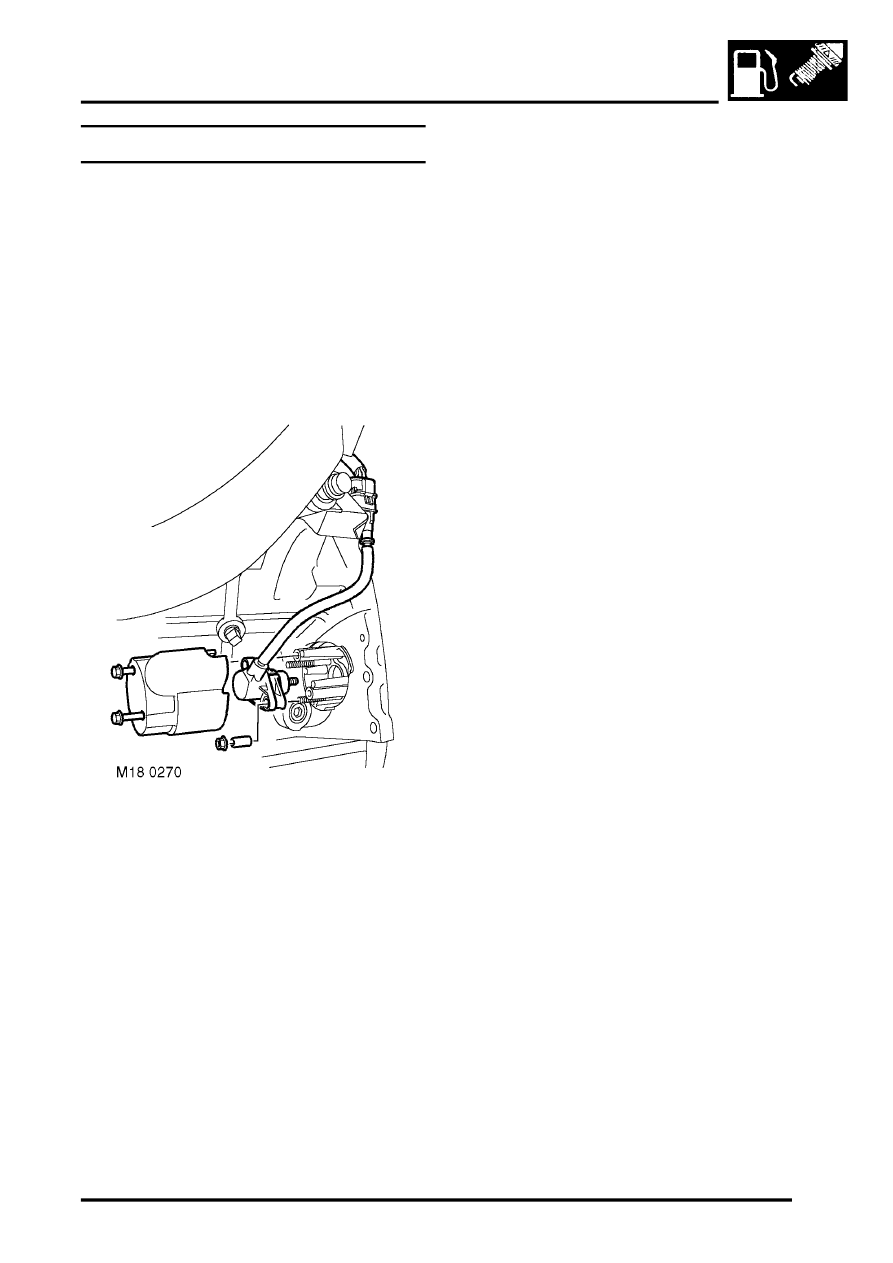
5. Release CKP sensor multiplug from bracket.
6. Remove 2 bolts securing CKP sensor heat
shield and position aside.
7. Remove 2 nuts securing CKP sensor, remove
2 spacers, CKP sensor and sensor mounting.
8. Disconnect CKP sensor multiplug from engine
harness.
Refit
1. Ensure all components are clean.
2. Connect CKP sensor multiplug to engine
harness.
3. Fit sensor mounting, CKP sensor, 2 spacers
and tighten CKP sensor retaining nuts to 6 Nm
(5 lbf.ft).
4. Fit CKP sensor heat shield and secure with
bolts.
5. Fit underbelly panel and secure with fixings.
6. Remove stand(s) and lower vehicle.
7. Connect battery earth lead.
8. Fit battery cover and secure the fixings.
9. Reset adaptions using TestBook.
Parts & tools for this job Staging For Land Rover Discovery
- TOOLOBD2 scannerSearch: OBD2 scanner
- TOOLDigital multimeterSearch: automotive digital multimeter
- TOOLBack-probe test leadsSearch: back probe test leads
Links open Amazon search results in a new tab. As an Amazon Associate I earn from qualifying purchases.