
Head unit - multi-information display
- Make
- Land Rover
- Model
- Range Rover L322 Range Rover Service Procedures
- Section
- REPAIRS › Head unit - multi-information display
NAVIGATION AND IN CAR ENTERTAINMENT
86-7-6
REPAIRS
Head unit - multi-information display
$% 86.50.81
If the head unit is to be replaced, then Testbook/T4
must be connected and correct procedures adhered
to, prior to battery disconnection.
Remove
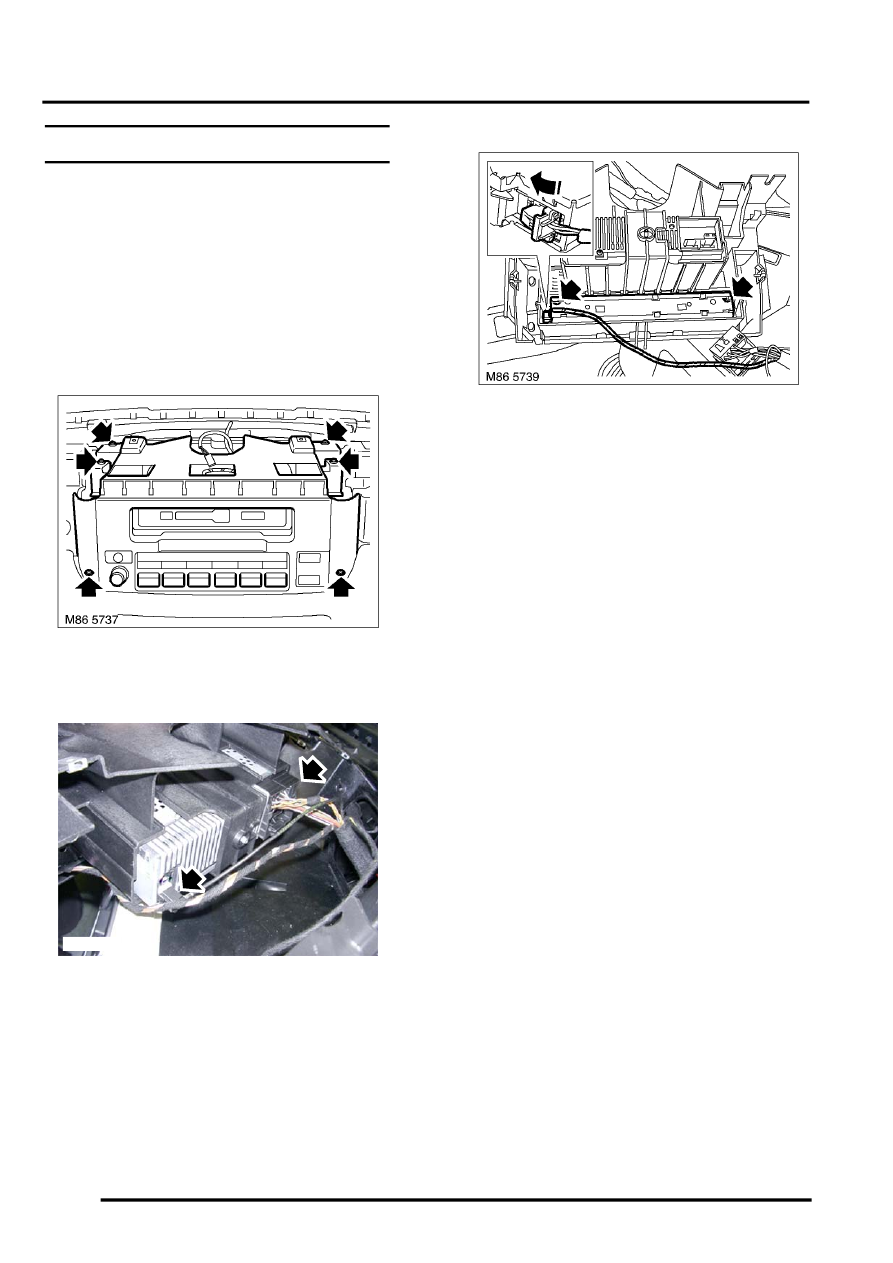
1. Remove top rail finisher.
INTERIOR FITTINGS, REPAIRS, Top
2. Remove 6 Torx screws securing display
housing to carrier.
3. Release housing and harness from carrier,
disconnect multiplug and aerial.
4. From rear of housing, release clips securing
display unit.
5. Disconnect multiplug from display unit and
remove unit.
Refit
1. Connect multiplug and fit display unit to
housing.
2. Position housing to carrier, connect multiplug,
aerial and secure harness.
3. Fit and tighten screws securing housing to
carrier.
4. Fit top rail finisher.
INTERIOR FITTINGS, REPAIRS, Top
5. Configure new head unit using TestBook/T4.
M86 5738
Parts & tools for this job Staging For Land Rover Range Rover
- TOOLTorque wrenchSearch: 3/8 inch torque wrench
- TOOLSocket setSearch: socket set metric
- BOOKHaynes manualSearch: Haynes manual Land Rover Range Rover
Links open Amazon search results in a new tab. As an Amazon Associate I earn from qualifying purchases.