
CLUTCH ASSEMBLY
- Make
- Land Rover
- Model
- Defender TD5 Defender
- Section
- CLUTCH ASSEMBLY
CLUTCH
1
REPAIR
CLUTCH ASSEMBLY
Service repair no - 33.10.01.01
Remove
1. Remove gearbox assembly. See MANUAL
GEARBOX, Repair.
2. Restrain flywheel.
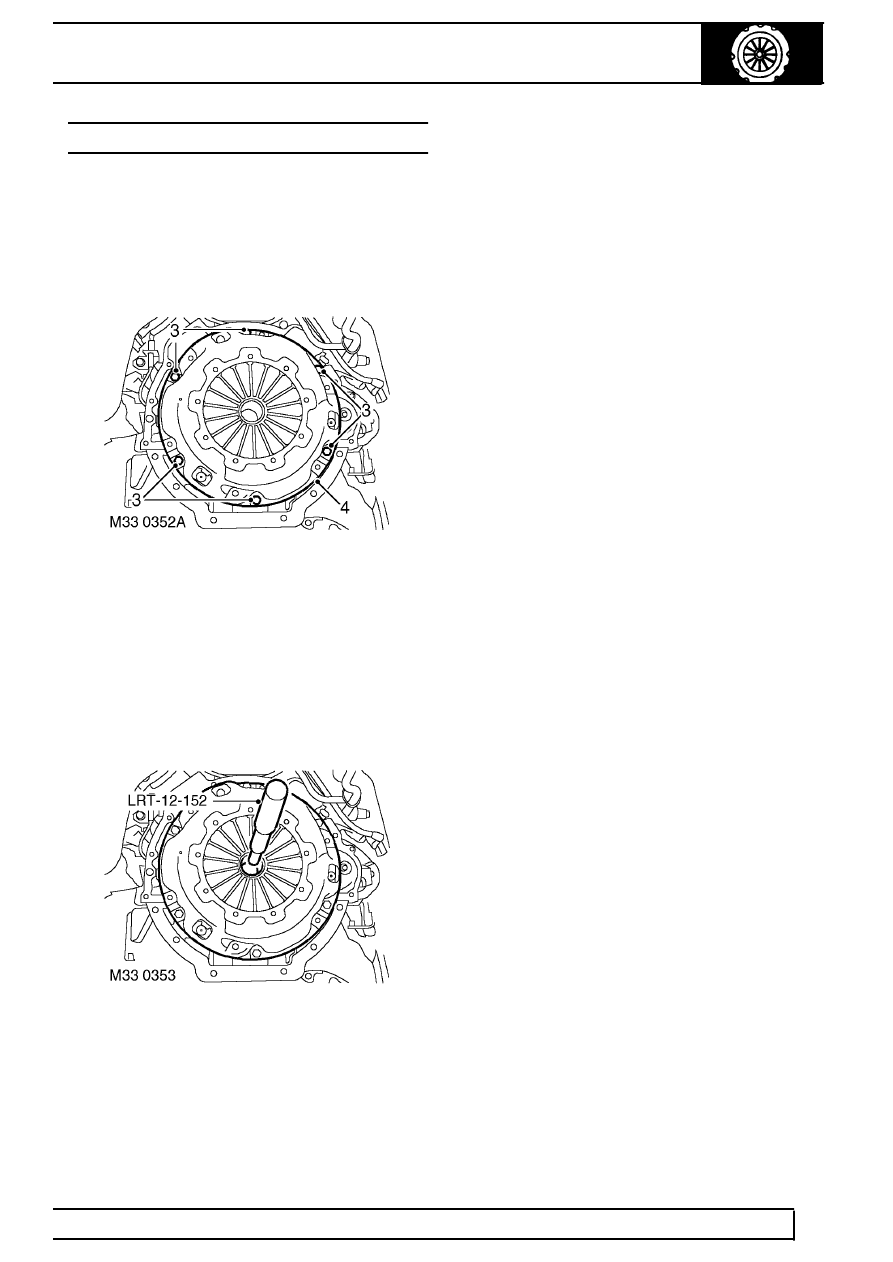
3. Working in sequence, loosen 6 nuts securing
clutch cover to flywheel.
4. Remove clutch cover and clutch plate.
Refit
5. Clean clutch cover and flywheel mating faces
and spigot bush in end of crankshaft.
6. Position clutch drive plate to flywheel with
’gearbox side’ facing towards gearbox.
7. Position LRT-12-152 alignment tool through
drive plate into spigot bearing in crankshaft.
8. Fit clutch cover and locate on dowels.
9. Position clutch cover nuts and tighten in diagonal
sequence to 25 Nm (18 lbf.ft).
10. Fit gearbox assembly. See MANUAL
GEARBOX, Repair.
Parts & tools for this job Staging For Land Rover Defender
- PARTClutch kitSearch: Land Rover Defender clutch kit
- TOOLClutch alignment toolSearch: clutch alignment tool
- FLUIDGear oilSearch: Land Rover Defender manual gearbox oil
Links open Amazon search results in a new tab. As an Amazon Associate I earn from qualifying purchases.