
THERMOSTAT
- Make
- Land Rover
- Model
- Defender TD5 Defender
- Section
- THERMOSTAT
COOLING SYSTEM
1
REPAIR
COUPLING - COOLING FAN
Service repair no - 26.25.19
Remove
1. Remove battery cover.
2. Disconnect battery negative lead.
3. Remove 3 bolts and remove engine acoustic
cover.
4. Remove cooling fan cowl.
NOTE: Thread is RH.
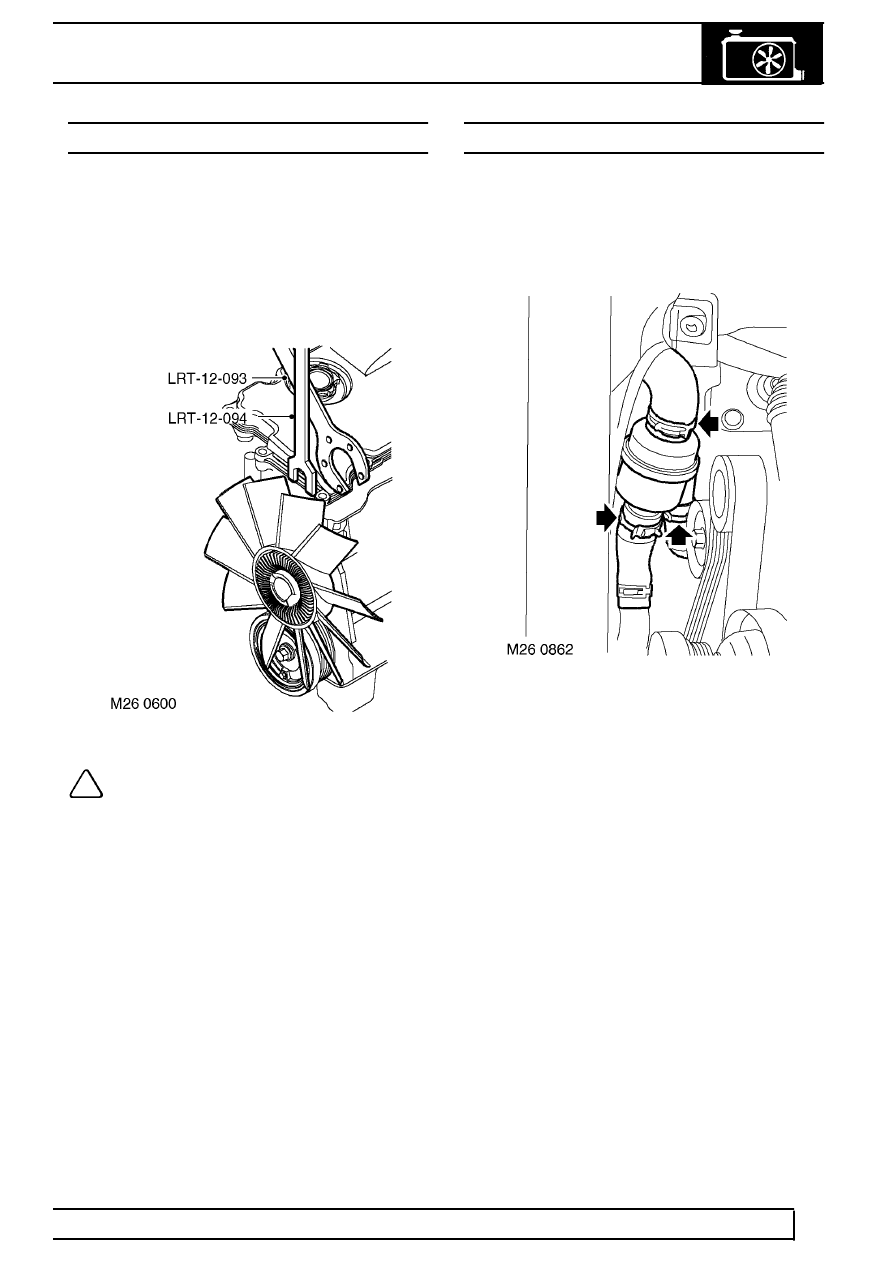
5. Remove cooling fan using LRT-12-093 and
LRT-12-094.
Refit
6. Position cooling fan and tighten using
LRT-12-093 and LRT-12-094.
7. Fit cooling fan cowl.
8. Fit engine acoustic cover.
9. Reconnect battery negative lead.
10. Fit battery cover.
THERMOSTAT
Service repair no - 26.45.09
Remove
1. Drain cooling system. See Adjustment.
2. Remove cooling fan. See this Section.
3. Release 3 clips and disconnect coolant hoses
from thermostat.
4. Remove thermostat.
Refit
5. Position thermostat, connect hoses and secure
with clips.
6. Fit cooling fan. See this Section.
7. Fill cooling system. See Adjustment.
Parts & tools for this job Staging For Land Rover Defender
- FLUIDCoolantSearch: Land Rover coolant antifreeze
- PARTThermostatSearch: Land Rover Defender thermostat
- TOOLCooling system pressure testerSearch: cooling system pressure tester
Links open Amazon search results in a new tab. As an Amazon Associate I earn from qualifying purchases.