
Headlamp alignment adjustment
- Make
- Alfa Romeo
- Model
- 147 Factory Service Manual
- Year
- 2000–2002
- Section
- Instruments › Headlamp alignment adjustment
HEADLAMP ALIGNMENT ADJUSTMENT
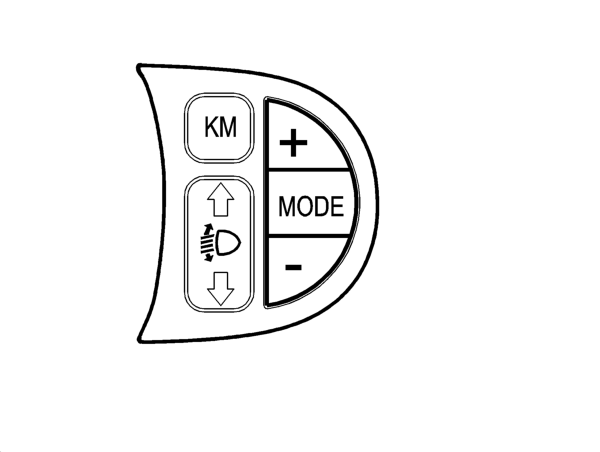
The headlamps can be adjusted from 0 to 3 usig the '^' and 'v' buttons (outside the panel in the left panel); the value set is memorized and shown in the milometer display together with the symbol.
The NQS receives and sends the increase signal (CAF+) or decrease signal (CAF-) from the switch in the left panel to the headlamp adjustment module (incoroporated in the actual NQS).
The adjustment module controls the presence of the positive headlamp supply coming from fuse F13 and produces an adjustment signal, sending it to the headlamp aglinment control motors electronic circuitry. The instrument output signal is a voltage
value which is interpreted by the actuator fitted on the headlamp;
No adjustment is possible at the KEY OFF. At the KEY ON the last value memorized is maintained, but the number and the symbol are not displayed in the panel until the dipped headlamps come on.
NOTE:
The prolonged operation of the button does not lead to a gradual adjustment. Disconnecting the battery or resetting the system causes the value memorized to be lost. After resetting the system starts again from zero (default value).
Parts & tools for this job Staging For 2000 Alfa Romeo 147
- TOOLTie rod end toolSearch: tie rod end puller
- TOOLBall joint separatorSearch: ball joint separator
- FLUIDPower steering fluidSearch: Alfa Romeo power steering fluid
Links open Amazon search results in a new tab. As an Amazon Associate I earn from qualifying purchases.